

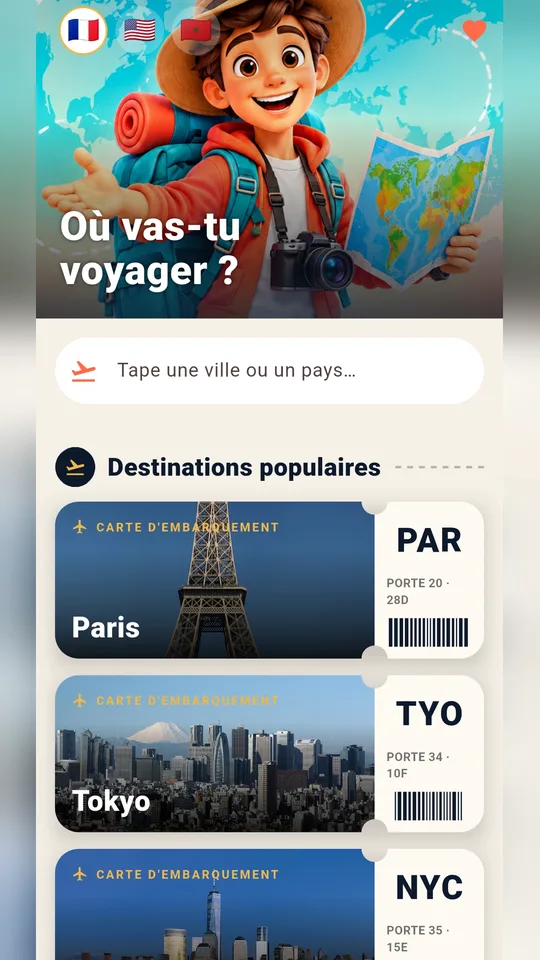
Wayfarer is an Android app that works as a travel guide. You enter a city or a country and get sights, restaurants, emergency numbers, directions and distances in one place. The app can be shown in French, English or Arabic.
It is unrelated to the physics or chemistry syllabus. Students and families can still use it to plan a science museum visit, a school trip or a holiday, with the same care they give to a lab report.

Get Wayfarer


At a glance
- Platform: Android (Google Play)
- Interface: French, English, Arabic
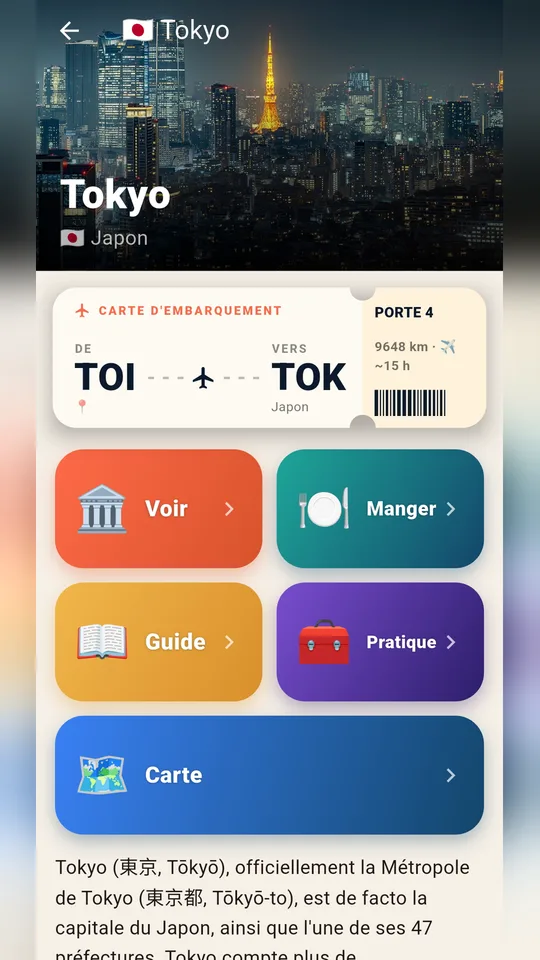
- Tabs: See, Eat, Guide, Practical
- Offline: pages you have already viewed
- Account and ads: none
- iPhone: version in preparation
First steps
- Install Wayfarer from Google Play.
- Touch the flag of the language you want: French, English or Arabic.
- Enter a city or a country.
- Read the opening card, which gives the city, the country, how far away it is and how long the trip should take.
- Work through the See, Eat, Guide and Practical tabs one by one.
What you find inside
- See: a timeline of places with photos, text and routes, plus trips out of town
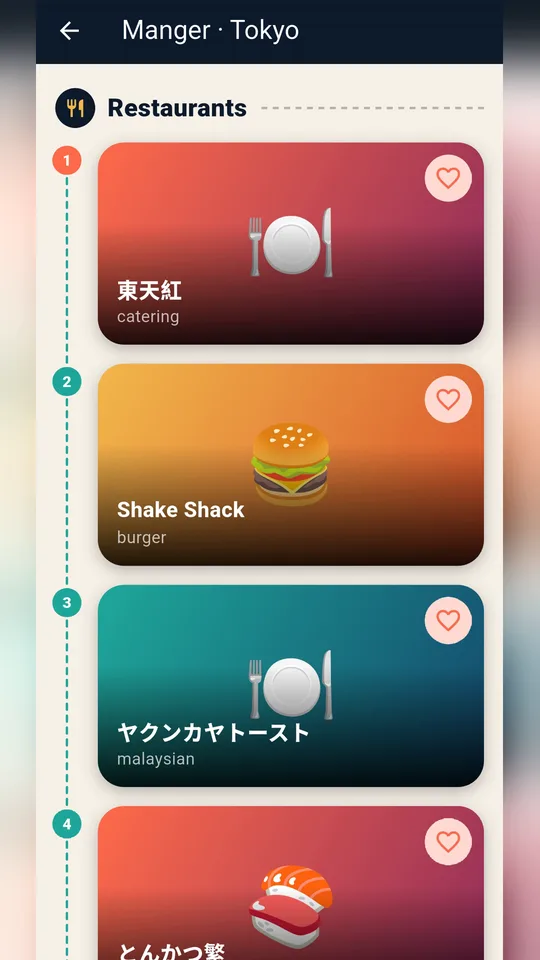
- Eat: nearby restaurants, cafés and bars, with hours and phone numbers where known
- Guide: entry rules, health, money, etiquette, culture and customs
- Practical: emergency numbers a tap away, local-language phrases, a notebook per destination
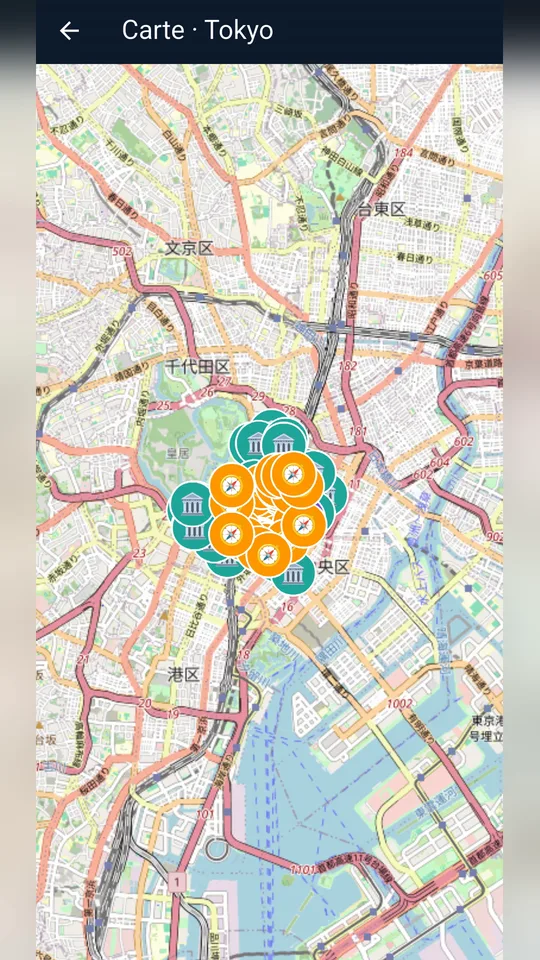
- Map: every place plotted, with routes on foot or by car
- Favourites: a shortlist of places
Who it is for
Students in middle and high school, and the adults who travel with them. A class heading to a science centre abroad, a family visiting a city with a famous observatory, a student on an exchange: all of them need addresses, timings and a safe way to find help.
The data come from maps and public sources, so treat times and opening hours as indications to double-check.
The link with Sciences Physiques PDF
On this site you revise physics and chemistry through lessons and worksheets. Wayfarer belongs to a different category, yet it rewards the same habits: organising data, comparing values and writing a clear conclusion.
Here is a small task. Note the distance and the estimated travel time shown for two sights, compute the average speed of each trip, and keep the units in your answer. Then write one sentence explaining which route you would choose, and why.
Tips
Open your destination’s pages before leaving: whatever you have already viewed can be read offline. Use the notebook as a field log: date, place, one observation, one question to look up later.
Wayfarer does not include lessons, measurements or problems. It runs on Android; an iPhone version is in preparation. You need no account, you see no advertising, and your location is used only to measure trips and is never kept.
One more idea for a class trip: split the group into teams, give each team a few places, and ask them to prepare a one-page plan with distances, durations and the nearest emergency number. Comparing the plans afterwards shows how different choices of order change the total time, and it trains students to present data clearly.
For a teacher organising an outing, the app also gives a quick way to check addresses and the nearest emergency number before the group leaves. Students can keep the notebook open during the visit and record times, distances and questions to research back in class.
Frequently asked questions
What is a good travel guide app for a school trip?
Wayfarer collects sights, restaurants, a practical guide, emergency numbers and directions for a destination in one Android app. It offers a notebook for each destination, which helps students prepare the programme and keep notes.
Can I check distances and travel times in Wayfarer?
Yes. The opening card for a destination shows the distance from your position and an estimated travel time. They are estimates, so confirm important timings before you leave. Your position is used only for this and never saved.
Does Wayfarer include physics or chemistry content?
No. It is a travel guide with no lessons, no measurements and no problems. Its only link with science study is practical: it helps you organise a trip, and you can use its figures for a small calculation.
In which languages is the Wayfarer interface available?
You can switch between French, English and Arabic using flags on the first screen. Arabic is displayed right to left. The app runs on Android, with no account and no advertising.
